ShipGate
Policy-first quality gates for Python projects.
One policy, one catalog, three commands — plus refactor. Linters, formatters, scanners, metric gates, and structural Python rules without hand-rolled CI glue.
Where to start
| You want… | Start here |
|---|---|
| Install and run in minutes | Quick start |
| Suites, CI, error formats, report UI | Usage |
| Structural Python refactor rules | Refactor |
| Policy files and thresholds | Configuration |
| What each bundled tool does | Tools |
| How ShipGate is built | Architecture |
Copy-paste the five commands on the quick start page, then come back here for suites and CI.
Why ShipGate?
You start a Python project and quickly need a pile of tools — each with its own config, install story, and CI glue. ShipGate replaces that sprawl with a single policy file and a metadata-driven catalog.
shipgate install
shipgate format
shipgate check
shipgate refactor check .
Refactor is separate from catalog suites — see Refactor.
Built for real workflows
- Ready by default — opinionated suites, strict thresholds, and bundled configs; fix violations, don't weaken gates.
- Agent-friendly — pair with pre-commit so humans and AI agents hit the same gates on every commit.
- Canonical reports — structured JSON under
.shipgate/reports/plus an optional report UI viashipgate[server]. - Extensible — project-local catalog entries, policy gates, and managed tool
installs under
.shipgate/tools/.
Try it in minutes
pip install shipgate
shipgate init
shipgate install
shipgate check --target .
Report UI:
pip install 'shipgate[server]'
shipgate serve --open
Report UI
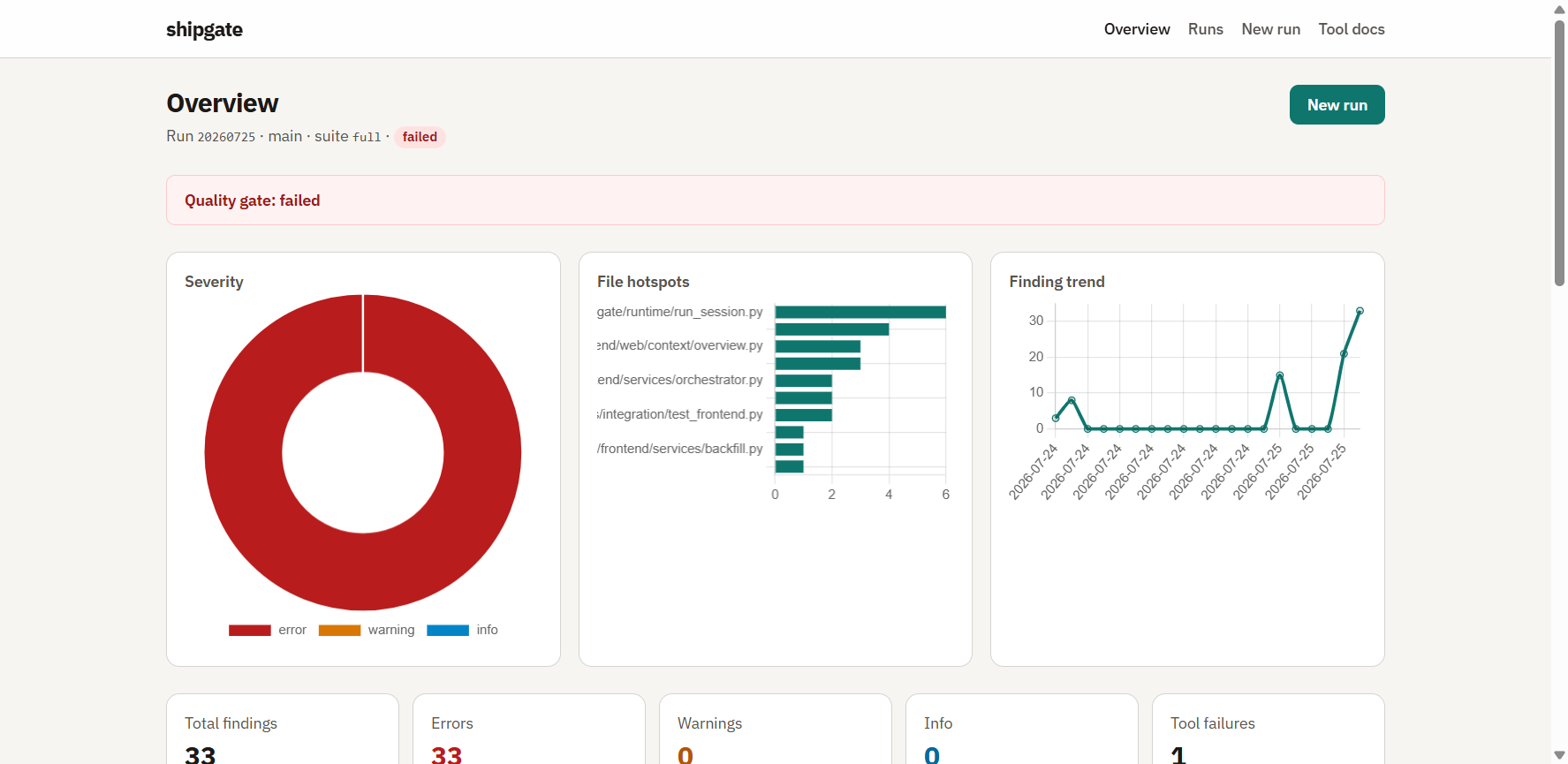
Browse suite runs and findings at http://127.0.0.1:8765/. Non-loopback binds
need SHIPGATE_UI_TOKEN — see Usage — Report UI.
Learn more
| Guide | Contents |
|---|---|
| Quick start | Init → install → format → check → refactor |
| Usage | Suites, error formats, CI, pre-commit, serve |
| Refactor | Structural Python rules (check, fix, list, explain) |
| Configuration | Policy, scopes, Radon metric gates |
| Tools | Bundled catalog and extensions |
| Architecture | Layers and design decisions |
| Check flow | Tool YAML → shipgate check |
| Contributing | Development setup for maintainers |